♫
Local music playback
Add songs or folders to manage your collection and play common audio files.
Play local music and get lyrics automatically. Sync, edit and save lyrics with ease, and bring your music collection back to life.
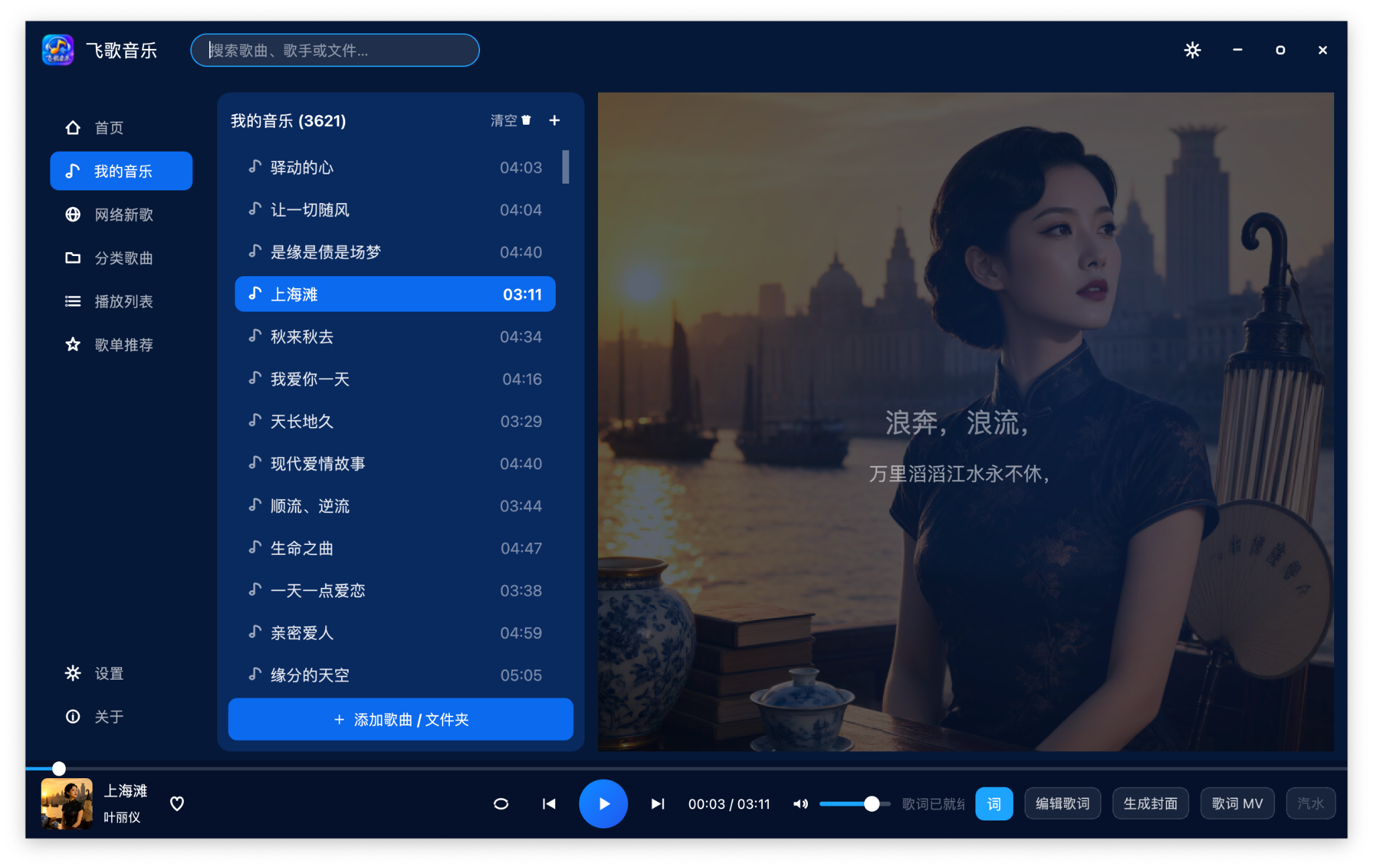
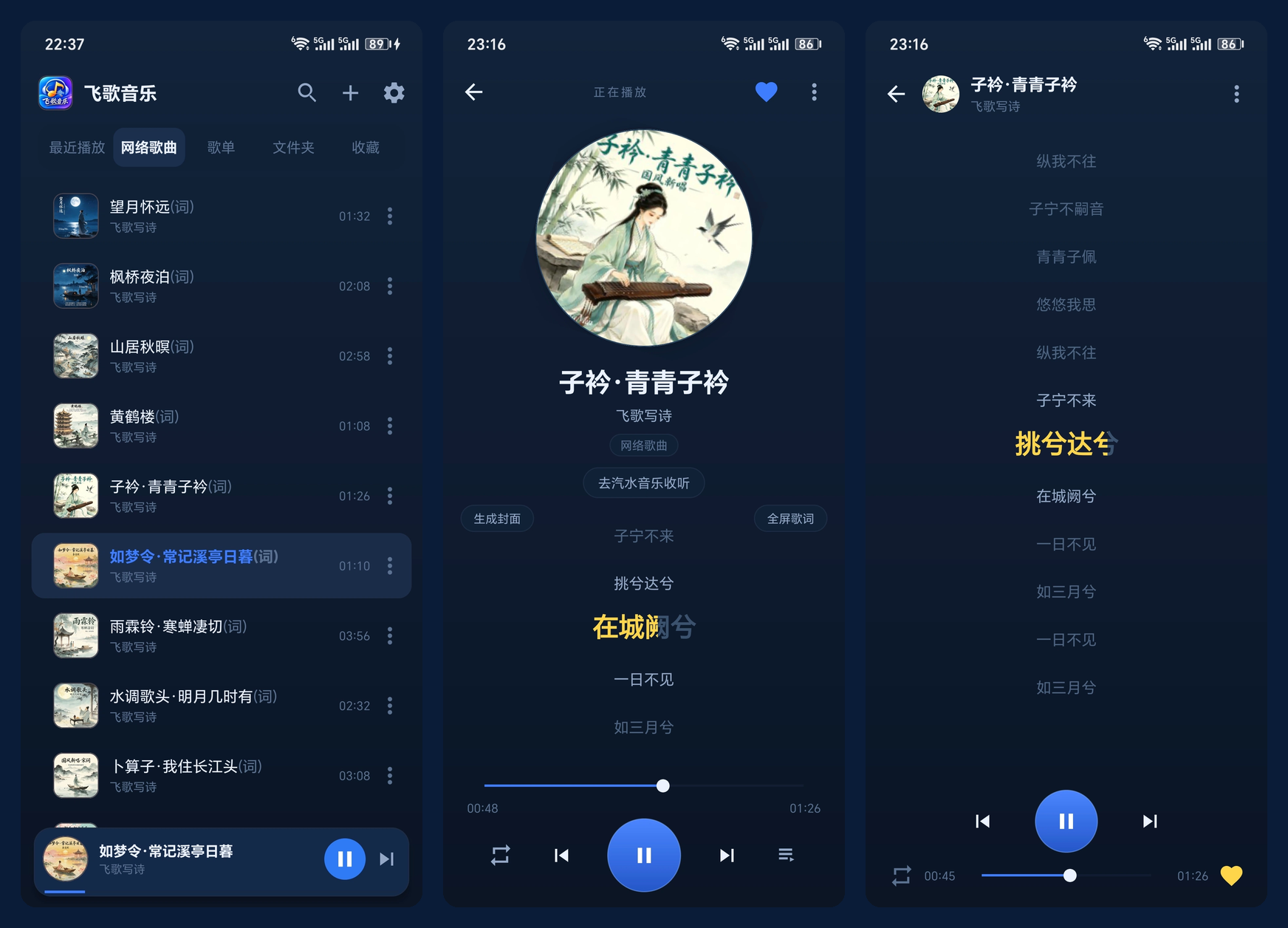
Built around your local music collection, so playback, lyric fetching, editing and management all live in one place.
Add songs or folders to manage your collection and play common audio files.
Fetch vocals from audio via the online service to add lyrics to songs that have none.
Get or generate time-stamped lyrics that follow the music as it plays.
Review recognition results and fix words and timing to match the actual performance.
Organize songs, categories and playlists your way, and manage your local library.
Make covers and lyric videos around your songs to give your music more ways to be expressed.
A few simple steps to editable, savable lyrics for your local music.
Pick a single track or import your music folder.
Submit audio for recognition and wait for the lyrics to return.
Check lyrics and timing, and edit them if needed.
Save lyrics locally and they will sync on playback.
From fetching lyrics to playback display, manual tweaks and export, FlyMusic puts everyday lyric tasks into one handy desktop tool.
Recognition may carry third-party API costs; formal plans and quotas will be announced after launch.
Try local playback, lyric display and basic management first. Online recognition quota and pricing follow the official launch announcement.
FlyMusic — local music playback, smart lyric recognition and lyric creation tools.
Works on phones and tablets, with local playback, lyric recognition, editing and LRC saving.
↓ Download Android APKThe desktop version is in development; download will be offered here once ready.
Notify me at launchNo. It is positioned as a local music player and lyric tool, focused on managing and playing your own music files.
The audio recognition service can generate lyrics. Supported formats, languages, duration and quality depend on the provider.
After review, results can be saved as local lyric files, supporting both line-level and word-level formats.
Audio recognition calls third-party APIs and carries costs, so a credit system is used. Quotas and pricing follow what is shown in the app.